> ## Documentation Index
> Fetch the complete documentation index at: https://docs.dbpilot.io/llms.txt
> Use this file to discover all available pages before exploring further.
# Connect to SQLite
To connect to a SQLite database:
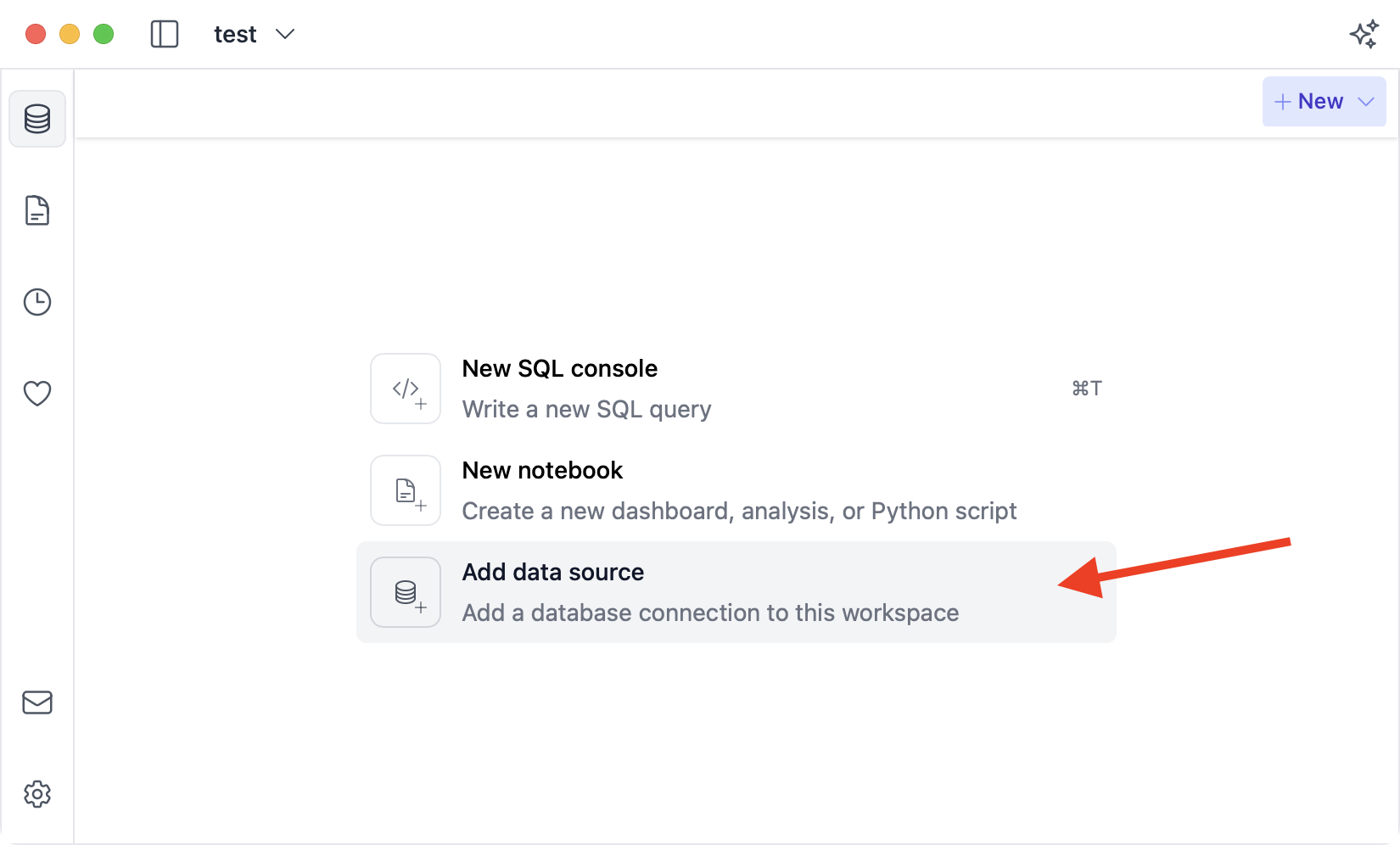
1. Click the connection selector button
2. Then click "Add connection"
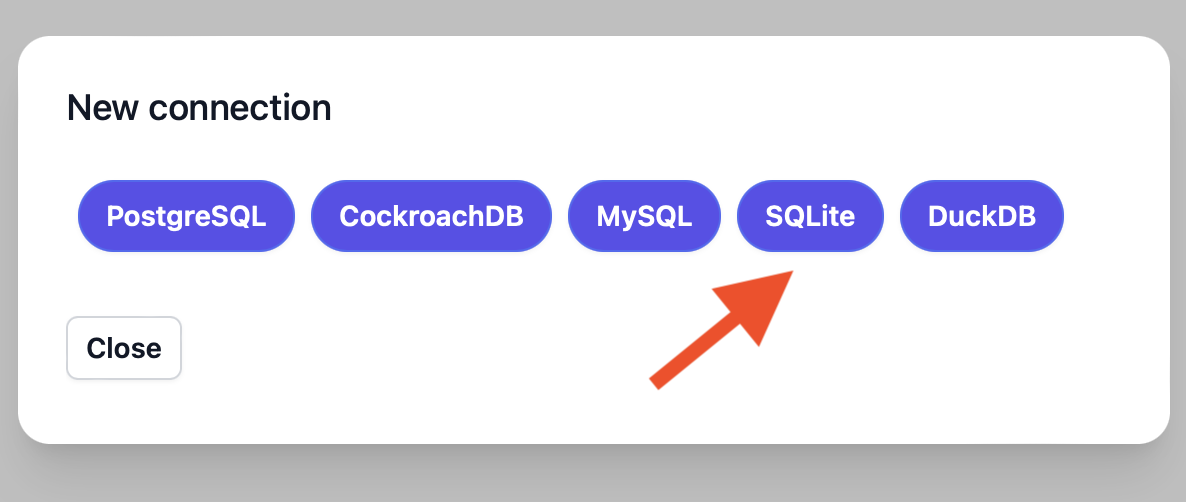
 Next, click the "SQLite" button:
 Then, fill in your connection details. Afterwards, click "Save":
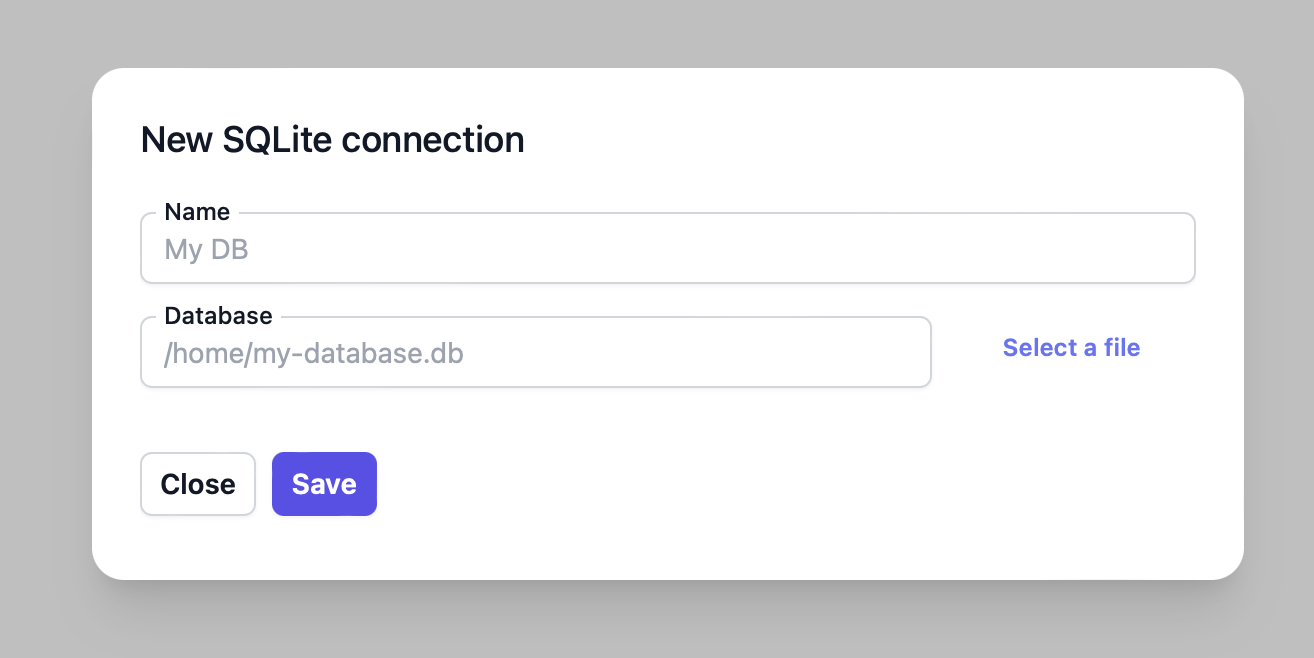 * **Name**: An arbitrary name to identify the connection in DB Pilot.
* **Database**: The path to your database file.
* Enter/select a path to an existing database file to open the database.
* Or enter a new path to create a new SQLite database.
* **Name**: An arbitrary name to identify the connection in DB Pilot.
* **Database**: The path to your database file.
* Enter/select a path to an existing database file to open the database.
* Or enter a new path to create a new SQLite database.